

IO Data Video/VHS 0.3 inch (8 mm) DVD Dubbing Computer Capture Video Capture Anareko Japanese Manufacturer GV-USB2/E
Product details
| Management number | 218501210 | Release Date | 2026/05/03 | List Price | $26.47 | Model Number | 218501210 | ||
|---|---|---|---|---|---|---|---|---|---|
| Category | |||||||||
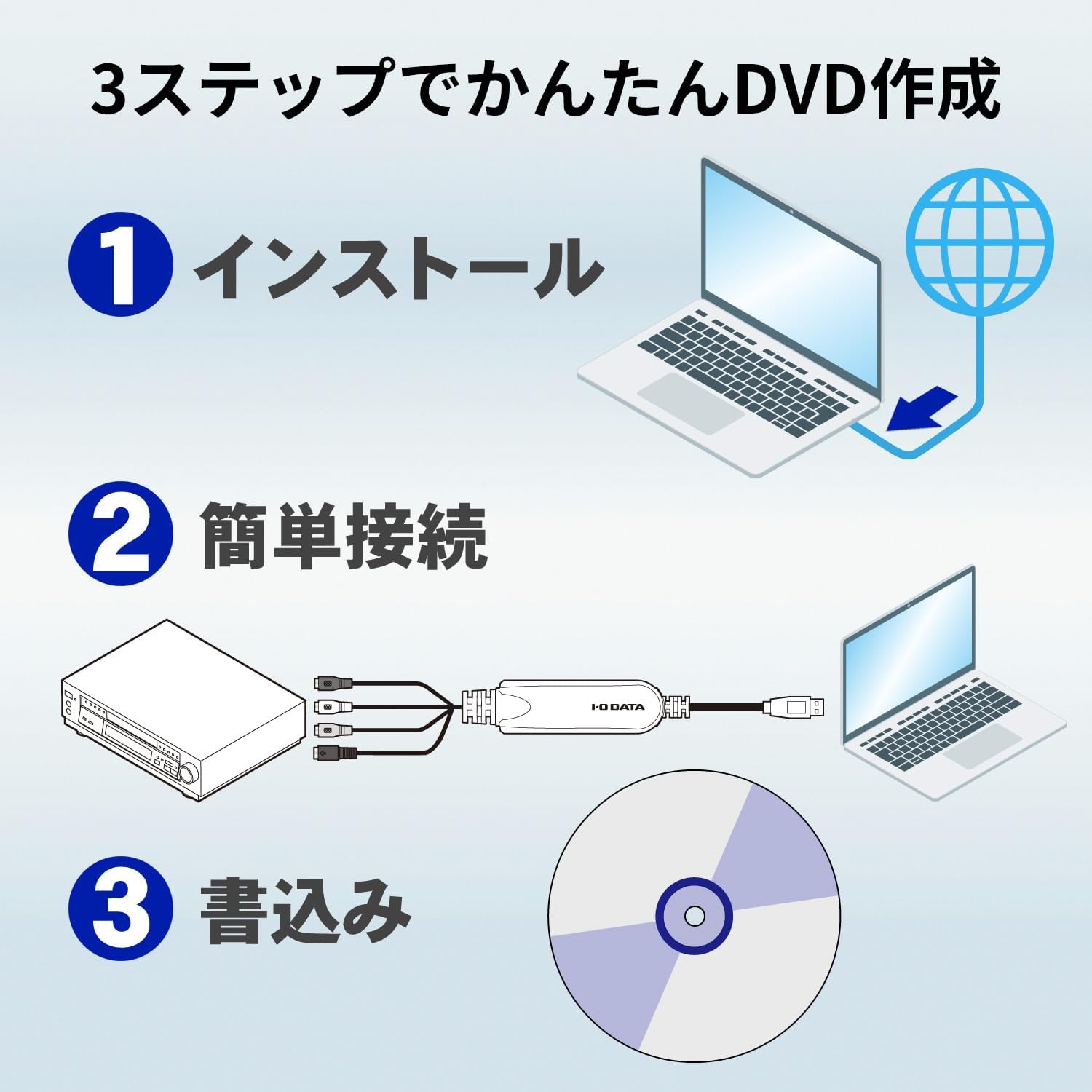
■ Features: Easy dubbing! Store important video tape to DVD; USB connection video capture; Compatible software: CyberLink PowerProducer5 for I-O DATA; Video recording software "I-O Data Devices"; Compatible operating system: Windows 11/10/8.1 (check manufacturer HP) ; Input terminal: Video system: NTSC (color), RCA input. Pin x 1, S-Video Input: Mini DIN 4 Pin x 1, External Line Input: RCA Pin (L/R) x 1 each. Size: Approx. W 0.7 x D 2.4 x H 0.5 inches (18.2 x 57.4 x 13.0 mm). Accessories: 1 x Support soft CD-ROM (1 x instruction manual included).
- Save VHS / 0.3 inch (8 mm) video on DVD: If you have an old 0.3 inch (8 mm) video tape that has recorded important VHS tape and many memories, you can easily store these data to a DVD. It can be edited easily, so you can save the edited data to a DVD and create your own original video
- Save directly from video tape to DVD: Compatible with direct recording that allows you to write directly to a DVD without the hassle of storing video data to your hard disk. You can save it directly from your video deck, camcorder, etc. to your DVD, so you can instantly create DVDs without any hassle
- (Easy to edit and leave on DVD) Once you save the video data on your hard disk, you can create your own menu design that matches the theme of important memories, or create an original DVD with simple video editing
- (Easy Digital Storage on Your PC) You want to store digital on your hard drive. If so, use the "LightCapture" video recording software, you can easily store video tapes with a single click. You can use your computer display as a preview of video tape, or use it as a computer display as a gaming monitor
- (Safe for First-Time) The first time installation is done with a single click by inserting the included CD-ROM. In addition, even if you don't know how to use it, it comes with a "instruction manual" that allows you to easily learn how to make DVDs, record on a hard disk, and edit a simple process, so even beginners can use it safely
- Due to product renewal, the package design may differ from the product. Please be aware of
| Brand | I-O DATA |
|---|---|
| Platform | Windows |
| AV Output | dvd |
| Model Name | GV-USB2/E |
| Tuner Type | digital |
| Unit Count | 1.0 Count |
| Manufacturer | アイ・オー・データ |
| Model Number | GV-USB2/E |
| BuiltIn Media | Installation Guide |
| Item Dimensions | 2.26 x 0.72 x 0.51 inches |
| Mfr Part Number | GV-USB2/E |
| Antenna Location | Video |
| Operating System | Windows 11, Windows 10, Windows 8.1 |
| Compatible Devices | Personal Computer |
| Hardware Interface | USB 2.0 Type A |
| Video Capture Resolution | 480p, 720p |
| Minimum System Requirements | USB 2.0 port, compatible operating system (Windows, Linux, macOS), and software-specific requirements not specified (check LightCapture software requirements) |



Bestseller ranking
External TV Tuners



Customers who viewed this product also viewed
Shims & Shim Stock


Correction of product information
If you notice any omissions or errors in the product information on this page, please use the correction request form below.
Correction Request Form